TECH Signal 429
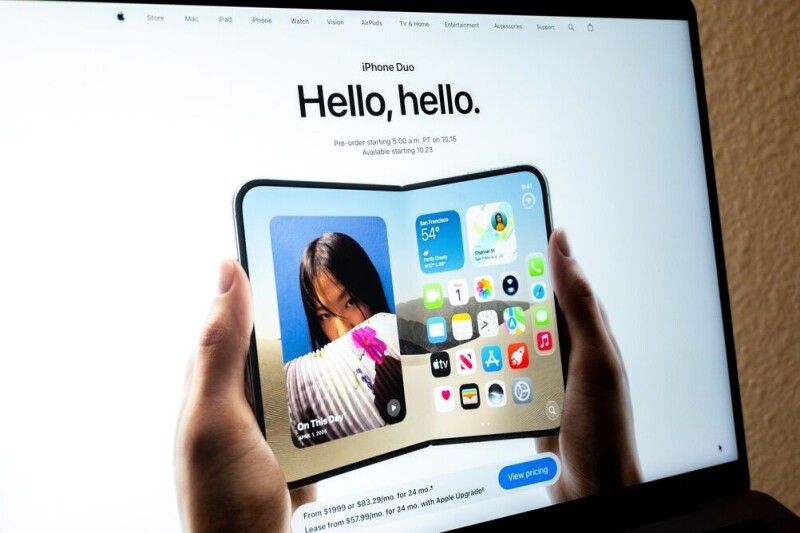
Apple iPhone Duo reportedly forces iOS developers to handle dynamic screen states and fold transitions
 ↗
↗
Apple’s foldable iPhone Duo introduces dual screens and fold-aware UI requirements for iOS apps
Developers must now account for dynamic screen states, split-view multitasking, and seamless transitions between folded and unfolded displays. This adds complexity to app design but also enables richer layouts on a larger, adaptable canvas.
Written by elseif from the cluster below · every claim links back to a sourceThe three things worth knowing
Apps must preserve state and UI consistency across fold and unfold events without reloading data
Split View and tabletop/book postures require apps to adapt layouts for shared or partial screen use
Apple’s updated Xcode and documentation provide tools to handle dynamic screen sizes and transitions
THE READ
What the cluster adds up to.
The iPhone Duo introduces a foldable form factor with two screens, a 5.4-inch outer display and a 7.6-inch inner display, requiring developers to manage UI state across dynamic transitions. Unlike static screens, the device’s fold and unfold actions trigger real-time layout adjustments, forcing apps to maintain consistency without disrupting user workflows. This shifts app design from fixed dimensions to a fluid, event-driven model where screen size becomes a variable rather than a constant.
Apple’s documentation and upcoming Xcode updates provide frameworks to handle these transitions, but adoption comes with trade-offs. Apps with rigid layouts or hardcoded dimensions may appear distorted or lose functionality during resizing, while those optimized for the Duo can leverage split-screen multitasking and adaptive layouts. The 120Hz ProMotion display demands smooth animations, adding performance constraints to an already complex state management problem.
The device’s postures, tabletop, book, and fully unfolded, create new interaction patterns that apps must support. For example, an app running on the outer screen should seamlessly transition to the inner display when unfolded, preserving session data and UI elements. System controls relocate to the side in landscape mode, requiring developers to avoid occlusion while maintaining usability. These changes prioritize continuity but increase the effort needed to ensure apps behave predictably across all configurations.
While the Duo’s larger inner display offers more space for richer layouts, it also challenges developers to rethink navigation and content density. Apps that previously relied on single-column designs may need sidebars or detail panes to utilize the extra width effectively. The foldable form factor is not just a hardware novelty; it demands a fundamental shift in how iOS apps are architected, with implications for both frontend UI and backend state management.
Written by elseif from the cluster below · checked for specifics the sources never containedTHE CLUSTER