TECH Signal 382
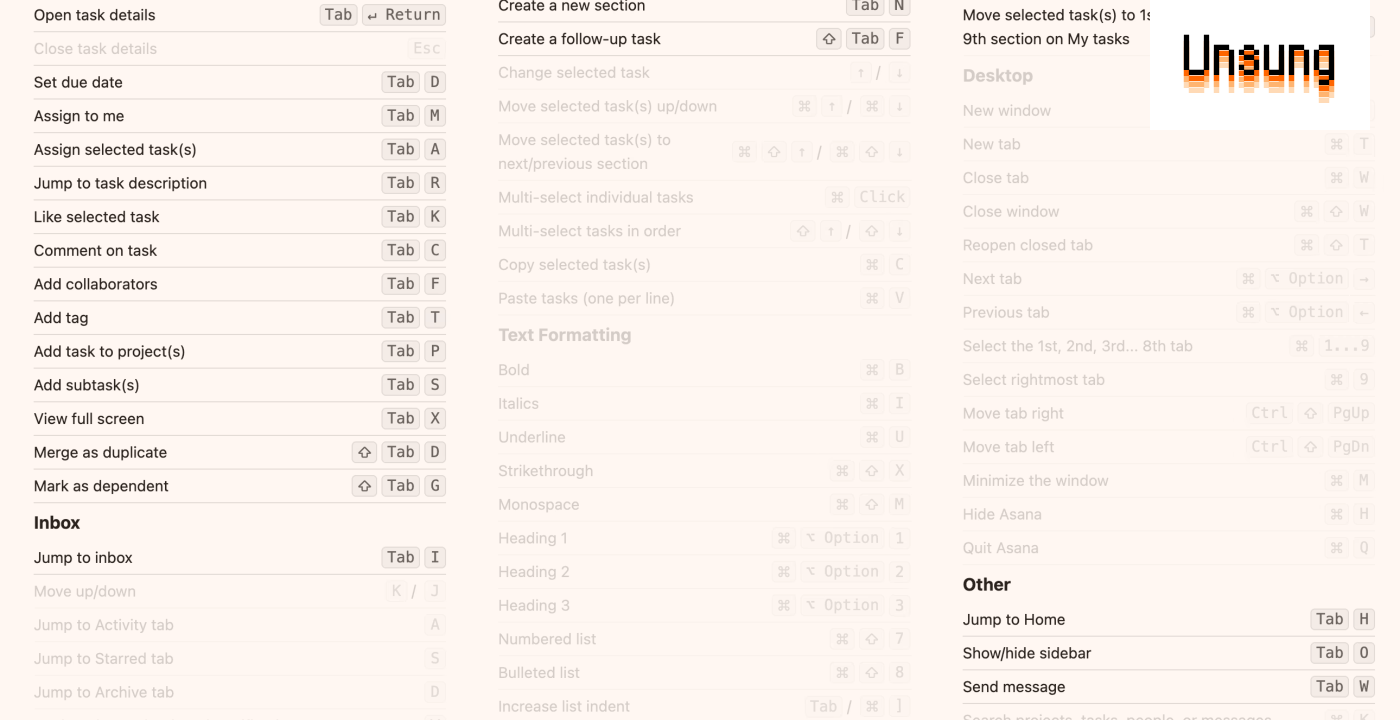
Asana’s fascinating Tab shortcuts
 ↗
↗
Web app developers face a crowded keyboard shortcut landscape where OS and browser combinations consume most modifier keys. Asana's approach offers a potential pattern for reclaiming shortcut space, but the implementation tradeoffs—slower key-up triggers, unintended actions on modifier release, and ergonomic concerns from a single-sided key—demonstrate the complexity of repurposing an existing key. Engineers building keyboard-heavy web interfaces should note both the conflict-avoidance benefit and the accessibility gaps this pattern creates.
Written by elseif from the cluster below · every claim links back to a sourceThe three things worth knowing
Asana uses Tab as a modifier key (e.g., Tab+K to like tasks, Tab+Return to open sidebar) to create shortcuts that avoid conflicts with OS and browser key combinations.
The implementation fires actions on key up rather than key down, making normal tabbing and indentation feel slower, and releasing Tab without completing a shortcut still triggers its default behavior.
Tab's isolation from other modifier keys reduces confusion, but combining it with additional modifiers creates awkward combinations, and there is no built-in option to revert to traditional shortcuts for users with motor control needs.
THE CLUSTER