TECH Signal 395
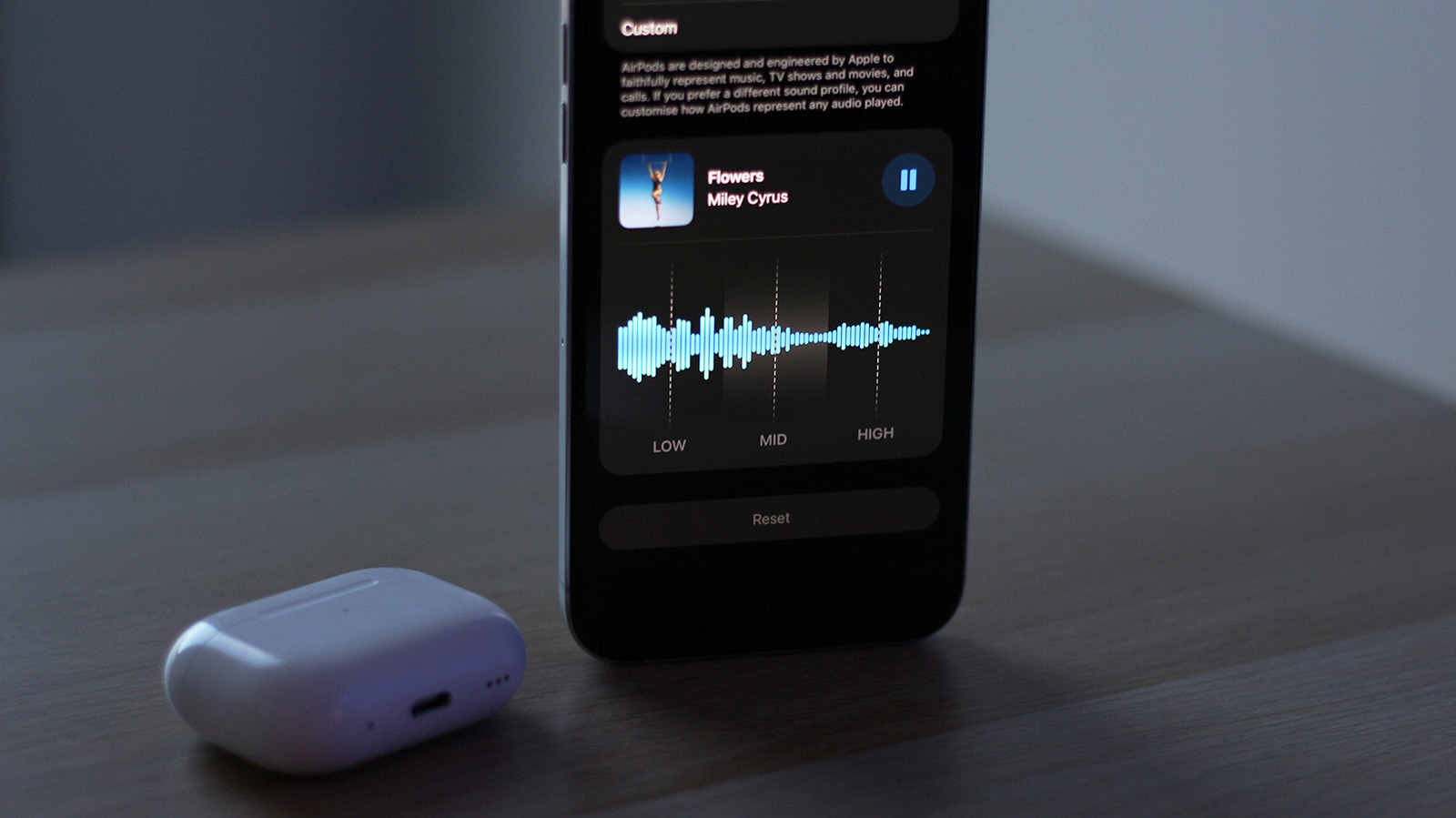
iOS 27 beta adds custom 3-band EQ settings for compatible AirPods
 ↗
↗
Apple introduces adjustable low, mid, and high frequency controls for select AirPods models in iOS 27 beta firmware
Engineers building audio-dependent apps or testing wireless peripherals now have a new variable to account for. User-configured EQ profiles persist across devices, so audio output may differ from default expectations even on the same hardware.
Written by elseif from the cluster below · every claim links back to a sourceThe three things worth knowing
Custom EQ is limited to AirPods with Apple’s H2 chip in current iOS 27 beta firmware
Adjustments are saved to the AirPods themselves and apply across all paired devices
EQ settings are separate from Apple Music and Accessibility audio effects, requiring manual coordination
THE READ
What the cluster adds up to.
iOS 27 beta introduces a 3-band equalizer for compatible AirPods, allowing users to adjust low, mid, and high frequencies. The feature is currently available only on newer AirPods models equipped with Apple’s H2 chip, including AirPods Pro 2, AirPods Pro 3, AirPods 4, and AirPods Max 2. This limitation means developers testing audio applications must verify compatibility with both the iOS version and the specific AirPods model in use.
The EQ settings are stored directly on the AirPods, ensuring the same audio profile applies regardless of the paired device. This persistence simplifies user experience but introduces variability for engineers who may assume default audio output. For example, an app relying on consistent bass response must now account for potential user adjustments, which could affect performance metrics or user feedback.
Apple’s implementation is intentionally simple, offering only three adjustable bands compared to traditional multi-band EQs. While this reduces complexity for end users, it also limits fine-tuning capabilities for those with specific audio engineering needs. The feature’s effectiveness depends on the user’s ability to balance the three bands, and its impact may vary across different music genres or audio content.
The custom EQ operates independently of other audio settings, such as Apple Music’s built-in EQ or Accessibility’s Headphone Accommodations. Engineers must ensure these layers do not conflict, as overlapping adjustments could lead to unintended audio artifacts. Testing scenarios should include combinations of these settings to verify consistent behavior across all configurations.
Written by elseif from the cluster below · checked for specifics the sources never containedTHE CLUSTER