TECH Signal 159
macOS 27 introduces Liquid Glass appearance slider for enhanced customization
 ↗
↗
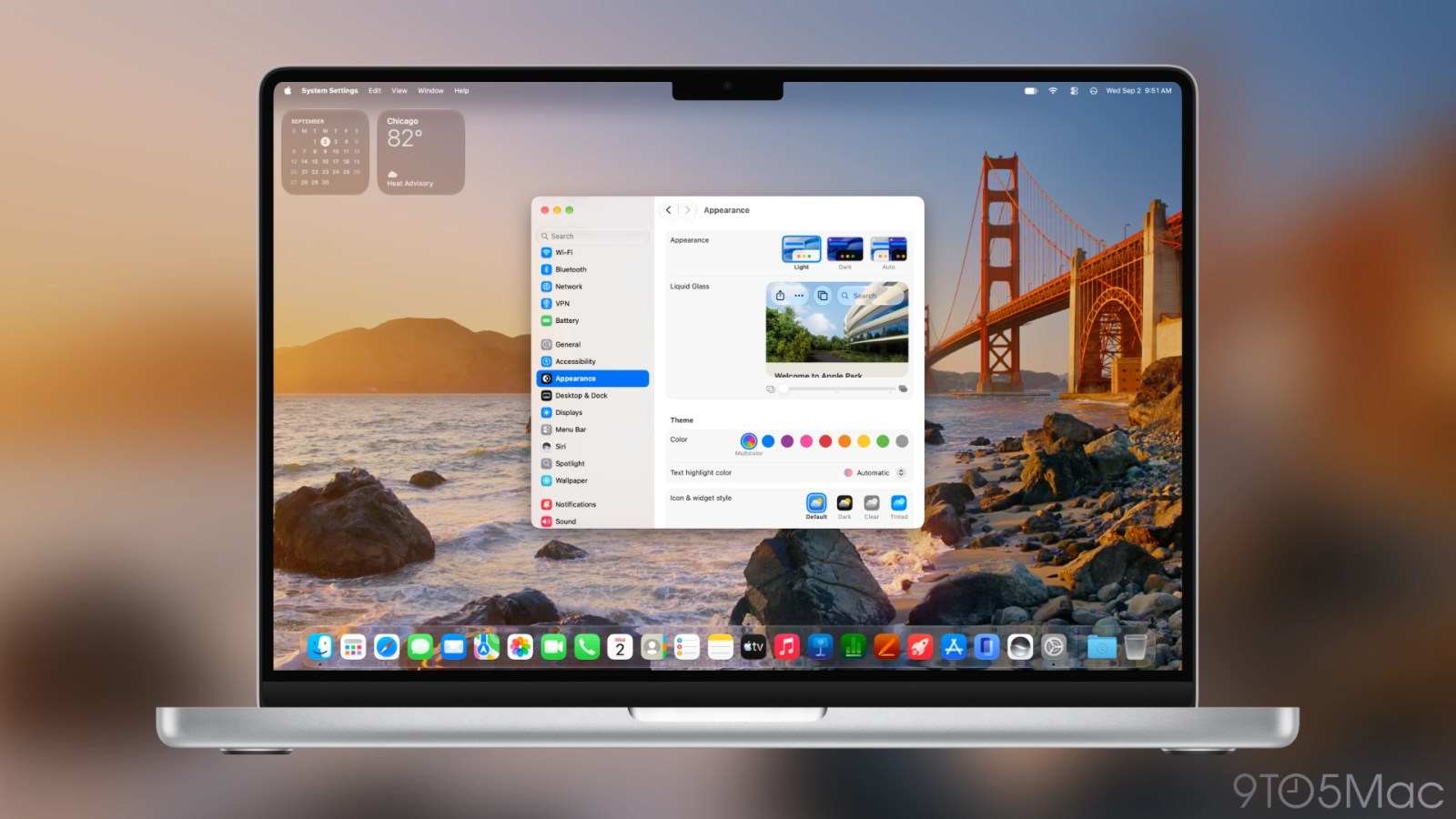
Users can now adjust the clarity of Liquid Glass across macOS 27.
The introduction of an appearance slider for Liquid Glass in macOS 27 allows users to customize their interface more than ever. This change enhances user experience by providing a visually appealing and personalized environment. It also reflects Apple's ongoing commitment to design flexibility and user control in their operating systems.
Written by elseif from the cluster below · every claim links back to a sourceThe three things worth knowing
macOS 27 adds a Liquid Glass appearance slider for system-wide customization.
Users can choose from clear to opaque looks for various UI elements.
The slider impacts the appearance of the Dock, widgets, and app window chrome.
THE READ
What the cluster adds up to.
The release of macOS 27 Golden Gate introduces significant changes to the Liquid Glass design language, allowing users to adjust the clarity and opacity of their interface. This feature is a step forward from the previous versions, where users were limited to only two styles. The appearance slider provides flexibility and a more tailored aesthetic for individual users, enhancing overall satisfaction with the system's look and feel.
The Liquid Glass slider can be adjusted during the initial setup or later in System Settings under Appearance. This accessibility means that users can easily experiment with their preferences without hassle. The live preview feature also aids in making informed choices about the appearance, ensuring users can see real-time changes before finalizing their settings.
While this customization is a welcome feature, it is important to note that the slider controls all Liquid Glass appearances uniformly across the system. This means that a single adjustment will apply to the Dock, widgets, and window chrome, which may limit some users who prefer different levels of opacity for different components. Despite this limitation, the unified control simplifies the user experience and reduces complexity in interface adjustments.
Written by elseif from the cluster below · checked for specifics the sources never containedTHE CLUSTER