TECH Signal 441
Windows desktop appears at Paris-Charles de Gaulle passport gate after crash
 ↗
↗
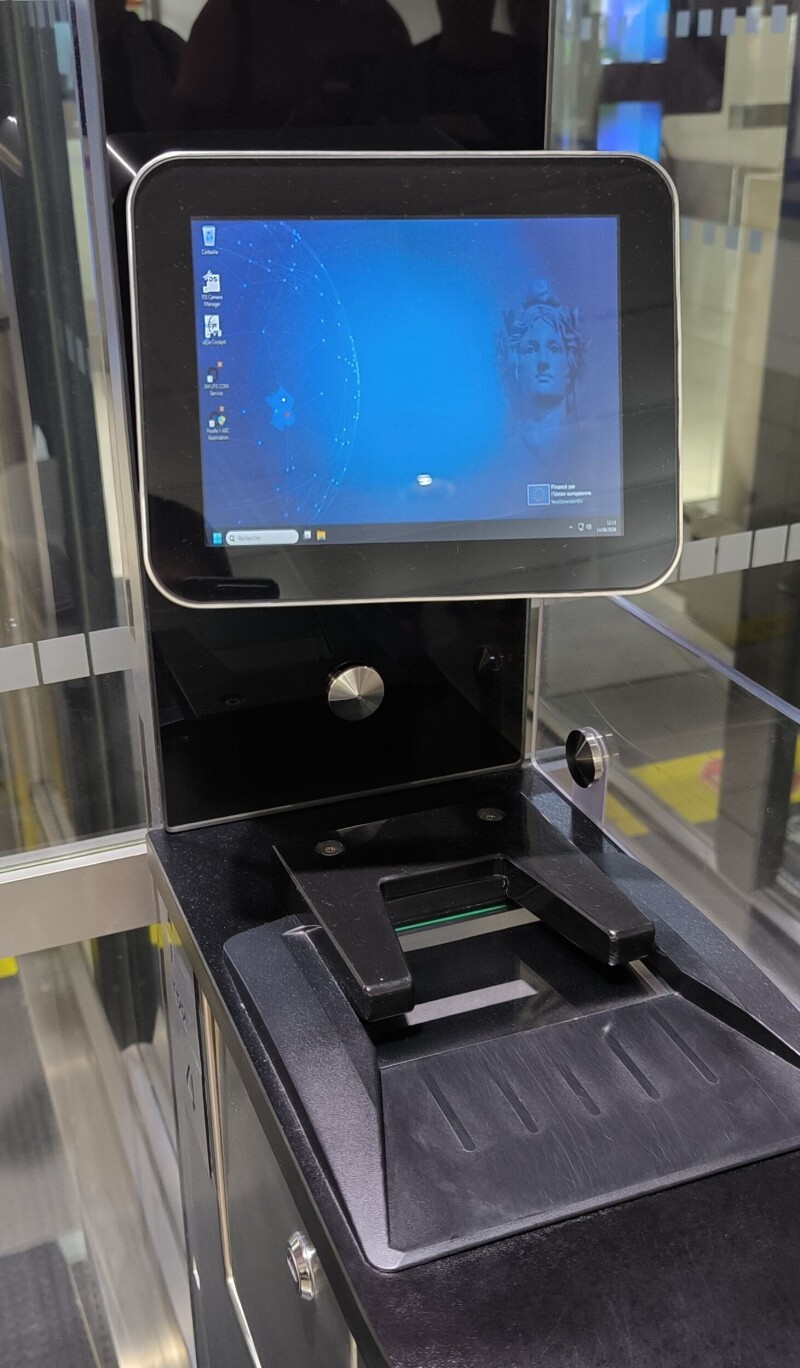
A passport control kiosk at Paris-Charles de Gaulle crashed, showing a Windows desktop and stopping passenger flow until the software was relaunched.
Engineers see that a failure in dedicated border-control software can expose the underlying operating system, creating both a usability surprise and a potential security exposure. The resulting delay demonstrates how even a brief software crash in a high-throughput environment can translate into noticeable passenger inconvenience and operational cost.
Written by elseif from the cluster below · every claim links back to a sourceThe three things worth knowing
The kiosk software crashed and rebooted, revealing a Windows desktop to travelers waiting at the gate.
Processing remained halted until staff manually relaunched the passport verification application, after which the queue resumed.
This event fits a broader trend of IT hiccups at the airport, including check-in signage failures and Windows activation errors.
THE READ
What the cluster adds up to.
The incident occurred when a traveler inserted a passport into a PARAFE gate at Terminal 3 of Paris-Charles de Gaulle. The gate’s specialized software crashed, causing the system to reboot and present a standard Windows 11 desktop instead of the expected passport-scan interface. As a result, the gate stayed closed and the traveler could not proceed until the desktop was cleared and the proper application was started.
From an engineering standpoint, the visible desktop indicates that the kiosk is running a general-purpose OS without sufficient lockdown or watchdog mechanisms to hide the underlying interface when the custom software fails. Restoring service required human intervention to launch the correct program, implying a lack of automatic recovery or fail-over capability. Such a gap increases both operational cost (staff time, passenger delay) and risk (unintended user access to the OS).
The failure mode will persist if the watchdog or restart script does not trigger, if the Windows session becomes unresponsive, or if hardware faults prevent the OS from booting correctly. Moreover, if the kiosk environment is not hardened, a curious user could interact with the exposed desktop, potentially altering system settings or installing unwanted software. Therefore, robust kiosk design must combine automatic crash detection, immediate application restart, and a locked-down UI that never exposes the underlying desktop to the public.
Written by elseif from the cluster below · checked for specifics the sources never containedTHE CLUSTER