SECURITY Signal 56
Windows Security App now surfaces Defender for Endpoint onboarding status and enabled features
 ↗
↗
The Windows Security App, the sole client GUI for Microsoft Defender Antivirus and Defender for Endpoint, recently added visibility into whether a device is onboarded to the corporate MDE service and which protection features are active.
Engineers managing endpoints could previously not easily confirm MDE onboarding status from the client side, making it non-trivial to verify that a device was being monitored by a Security Operations Center. The WSA now exposes this status along with component version numbers, giving operators a local diagnostic surface. Third-party AV vendors should also note that registration APIs remain restricted to MVI program members and that MDAV resumes active protection if a third-party product fails to register within a startup window.
Written by elseif from the cluster below · every claim links back to a sourceThe three things worth knowing
WSA now displays Defender for Endpoint onboarding status and enabled MDE features, a change from the prior lack of any client-side indicator.
Third-party security products register through the Windows Security Center API, which is not fully public and is restricted to MVI program members.
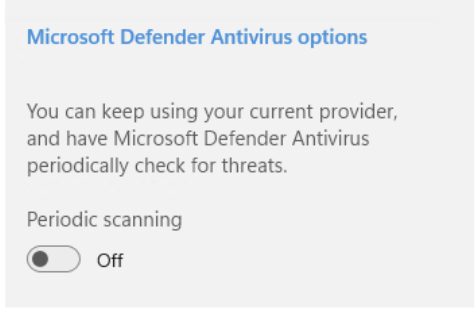
When a third-party product registers, Microsoft Defender Antivirus enters passive mode, disabling real-time protection; if the product fails to register after startup, MDAV resumes active operations.
THE READ
What the cluster adds up to.
The Windows Security App is the unified graphical surface through which Windows 10 and 11 expose security state, covering antivirus, firewall, SmartScreen, Smart App Control, exploit protection, and hardware security features. It is the only client GUI for both Microsoft Defender Antivirus (the free built-in product) and Microsoft Defender for Endpoint (the corporate XDR product). Third-party security products can also register with it to display lightweight status and provide an entry point into their own UIs.
The most consequential recent change is that WSA now shows specific information when a device is onboarded to Defender for Endpoint, including which MDE features are enabled. Previously, determining whether a PC was onboarded to MDE and monitored by a Security Operations Center was described as non-trivial. A Device Details link in the footer now also exposes status and version numbers of protection components, giving engineers a local verification path that did not exist before.
Third-party antivirus and firewall products register their presence and status through the Windows Security Center API, which triggers MDAV to enter passive mode, disabling real-time protection and other active features so the third-party product becomes the primary protection component. The registration APIs are not fully public and are callable only by members of the MVI program. The third-party product has a limited window after each system startup to register; if it fails or reports a non-working state, MDAV automatically resumes active protection.
A Web Protection category that previously indicated the status of Edge Legacy browser protection extensions was removed in a recent update, reflecting the earlier removal of Edge Legacy itself. Multiple third-party AV and firewall products can technically be installed simultaneously, though this is discouraged due to conflicts and performance impact. Pre-installed trial antivirus products on vendor-shipped PCs commonly leave Defender in passive mode until uninstalled, at which point MDAV returns to active mode automatically.
Written by elseif from the cluster below · checked for specifics the sources never containedTHE CLUSTER